ComfyUI for VFX and AI Artists: A Practical Introduction
This post covers the fundamentals of ComfyUI tools, workflow, troubleshooting, and practical advice for building reliable AI pipelines. Perfect for beginners transitioning from traditional VFX or compositing tools.
AICOMFYUIVFX
Prince Haresh Chudasama
11/18/20252 min read

Introduction
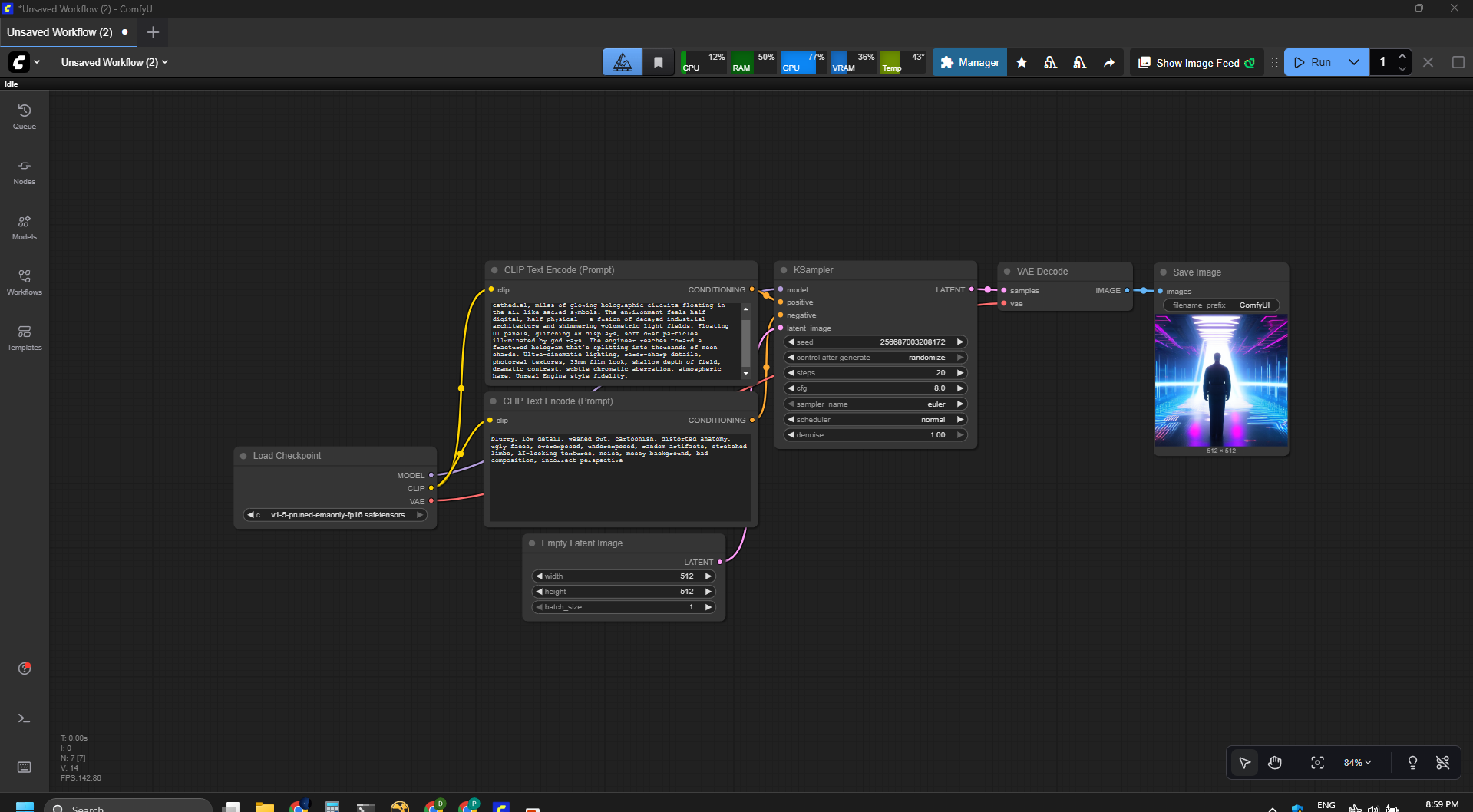
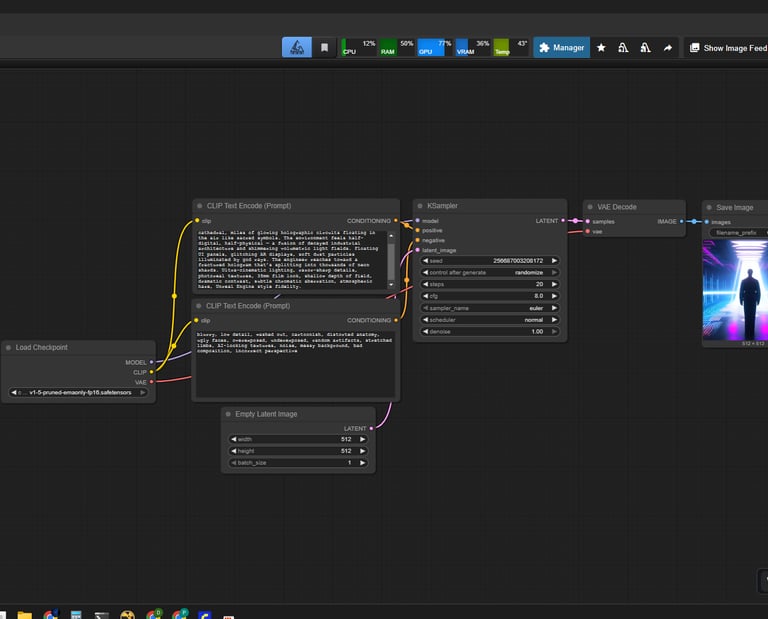
ComfyUI is a node-based interface for generating AI images, edits, and effects using Stable Diffusion. Think of it like Nuke for AI: every operation is a node, every connection is visual, and you control the entire workflow instead of relying on a single “Generate” button.
If you want flexibility, repeatability, and production-style pipelines for AI visuals, ComfyUI gives you that control without feeling overwhelming.
TABLE OF CONTENTS
Tools & Resources
Step-by-Step Workflow
Tips & Tricks
Troubleshooting
Conclusion
Downloads & Resources
Tools & Resources
Models
Stable Diffusion 1.5
SDXL
Inpainting models
ControlNet models
Hardware Used
GPU: Nvidia Geforce GTX 1650 ti
CPU: Intel Core i7
RAM: 32GB
OS: Windows
Software
ComfyUI — https://www.comfy.org
ComfyUI Manager (recommended for easy installs)
Impact Pack / WAS Nodes (extra utilities)
Render Output




Tips & Tricks
Use ControlNet for stable, predictable results
Keep a fixed seed if you want consistency
Lower denoise strength if the image changes too much
Build reusable templates for faster workflows
Use ComfyUI Manager to update nodes safely
Troubleshooting
Why black output?
Black output usually means the wrong model or decoder is connected.
How to fix blurry results?
Try increasing the resolution or lowering the denoise setting to sharpen images.
What if GPU runs out of memory?
Use smaller models or apply tiling to reduce memory load and prevent crashes.
Why artifacts on edges?
Add a mask blur or refine the inpaint to smooth out edge artifacts.
What if nodes are missing?
Reinstall or refresh the ComfyUI manager to restore missing nodes.
Any tips for smoother troubleshooting?
Keep track of changes, test one fix at a time, and restart your system when needed.
Conclusion
ComfyUI is one of the most flexible and powerful AI tools available today. Its node-based design makes it ideal for VFX artists, AI creators, and anyone who wants full control over their workflow. Once you understand how nodes connect, you can build systems for anything from object removal and cleanups to full cinematic renders.
Downloads & Resources
ComfyUI: https://www.comfy.org
ControlNet Models: https://huggingface.co/lllyasviel
SAM2 (AI Masking): https://github.com/facebookresearch/sam2
My LinkedIn: https://www.linkedin.com/in/princechudasama